Free
$0/ month
- Projects
- 2
- Rungs per project
- 15
- Scenario devices per project
- Not included
SIM PLC 5000 is a ladder logic editor, scan simulator, and virtual hardware bench that runs in the browser, for anyone learning or teaching PLCs without one on the desk.
This bench runs on the real scan engine. Press the green START button, then STOP. Power flows from the button into the rung, and the MOTOR contact under START keeps the motor running after you let go.
Motor stopped.
Scenario puts real-looking hardware next to your program. Add I/O modules, place buttons, sensors, lamps, and motors, and wire them to module points. Press Run and the ladder drives the machine.
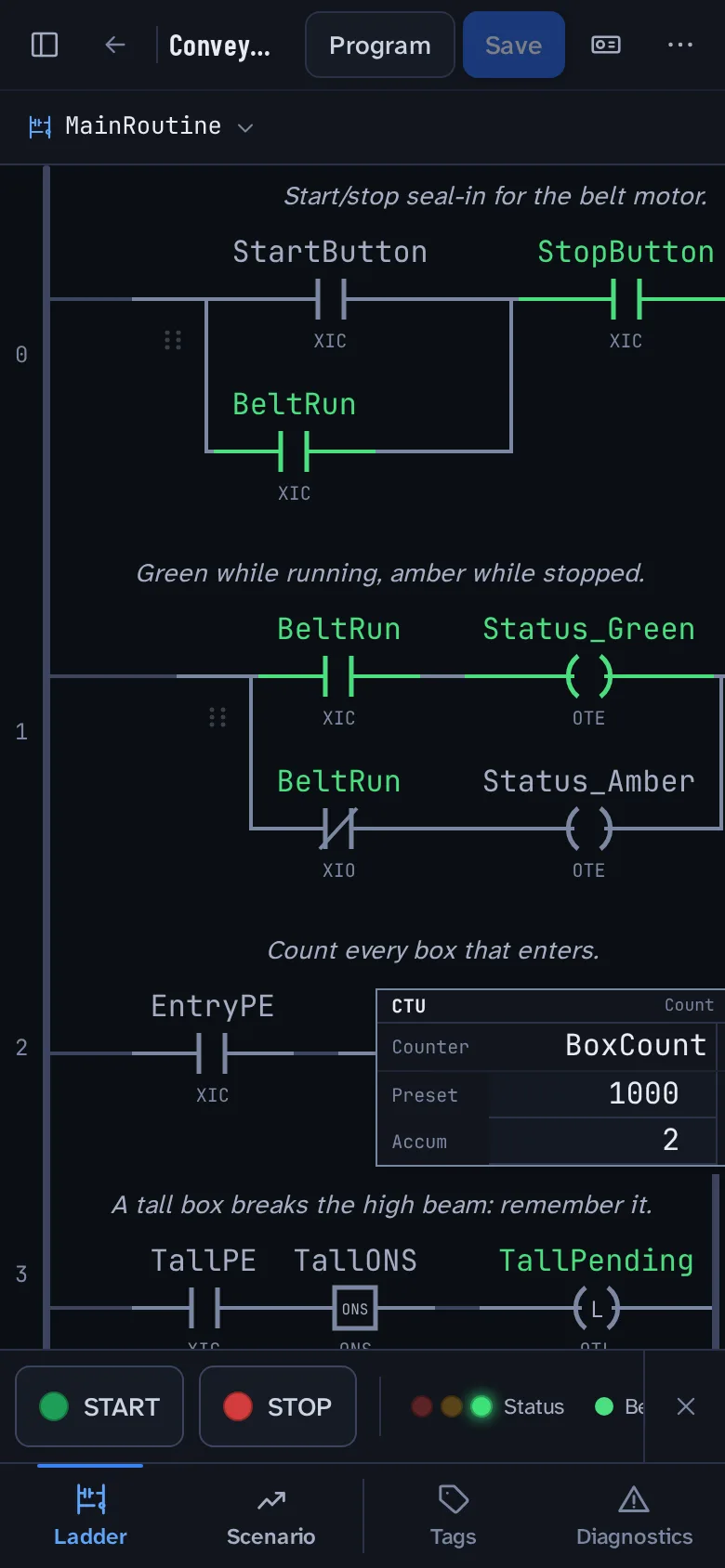
This conveyor is one of the starter scenes, running on the same simulator as the app. The high photo-eye sees only tall boxes, and the ladder below times the pusher to knock them off the belt.
Belt stopped.
32 instructions ship today, along with parallel branches and BOOL, SINT, INT, DINT, REAL, STRING, TIMER, and COUNTER tags, including arrays. Click a symbol to change its state; the full set is listed below.
XIC BIT 0
Examine if closed
Passes power while its bit is 1.
XIO BIT 0
Examine if open
Passes power while its bit is 0. Toggle it to break the path.
ONS OUT 0
One shot
Passes power for a single scan when its rung goes true.
OTE BIT 0
Output energize
Writes the rung result to its bit every scan.
OTL BIT 0
Output latch
Sets its bit and leaves it set after the rung goes false.
OTU BIT 0
Output unlatch
Clears the bit OTL set. Both rows share one bit.
TON ACC 0.0s · DN 0
Timer on delay
Sets DN once its rung has stayed true for the preset, 2 s here.
CTU ACC 0 · DN 0
Count up
Adds one on every false-to-true transition. DN at 3.
RES
Reset
Clears the accumulator and done bit of the timer and counter above.
GRT 35 > 50 · 0
Greater than
Passes power while Level is greater than 50. Drag the slider or press the symbol.
ADD 40 + 2 = 42
Add
Writes Source A plus Source B to Dest. SUB, MUL, DIV, and CPT expressions work the same way.
MOV DISPLAY 0
Move
Copies a tag or a number into Dest, like a level reading onto a panel display.

Practice the scan cycle on a machine that moves, and debug your first programs without buying hardware.
Give every student the same bench. Start from a scene, then break a sensor or a wire and let them find it.
Check how a small piece of logic behaves, away from a production system.
Planned launch prices. Nothing is for sale yet; choosing a plan only notes your preference on the waitlist.
$0/ month
$5/ month
$9/ month
No. The simulation runs in the browser and never communicates with a physical PLC.
Bit instructions (XIC, XIO, ONS, OTE, OTL, OTU), TON, CTU, and RES, comparisons (EQU, NEQ, LES, LEQ, GRT, GEQ), math (ADD, SUB, MUL, DIV, CPT), data moves (MOV, COP, CLR), and JSR for subroutines, plus parallel branches and typed tags. More are added as their behavior is verified against the scan engine.
A virtual bench for your program: I/O modules in a chassis, and buttons, switches, sensors, lamps, stack lights, motors, a conveyor, and a tank to wire to them. Alias tags name the points, so your ladder reads like a real one. Press Run and the ladder drives the hardware.
Yes. While the controller runs you can stick a sensor on or off, or break a wire. The module flags the broken wire, and you track the fault down from the ladder and the tag values.
Yes, the site and the editor are responsive. A tablet or desktop gives you more room to edit rungs.
Yes. The planned free tier includes two projects with up to 15 rungs each, for ladder logic. Scenario hardware comes with Standard and Pro.
Access is by invitation while the simulator is in preview. Join the waitlist and we’ll email you when more seats open.
No. SIM PLC 5000 is independent software. It doesn’t open or export Studio 5000 .acd files.
Tell us what you’re learning or teaching. We’ll email you when access opens, and only about the launch.